Designing a Meal Planner That Thinks the Way You Cook
Product Design · Prompt Architecture · AI-Assisted Development
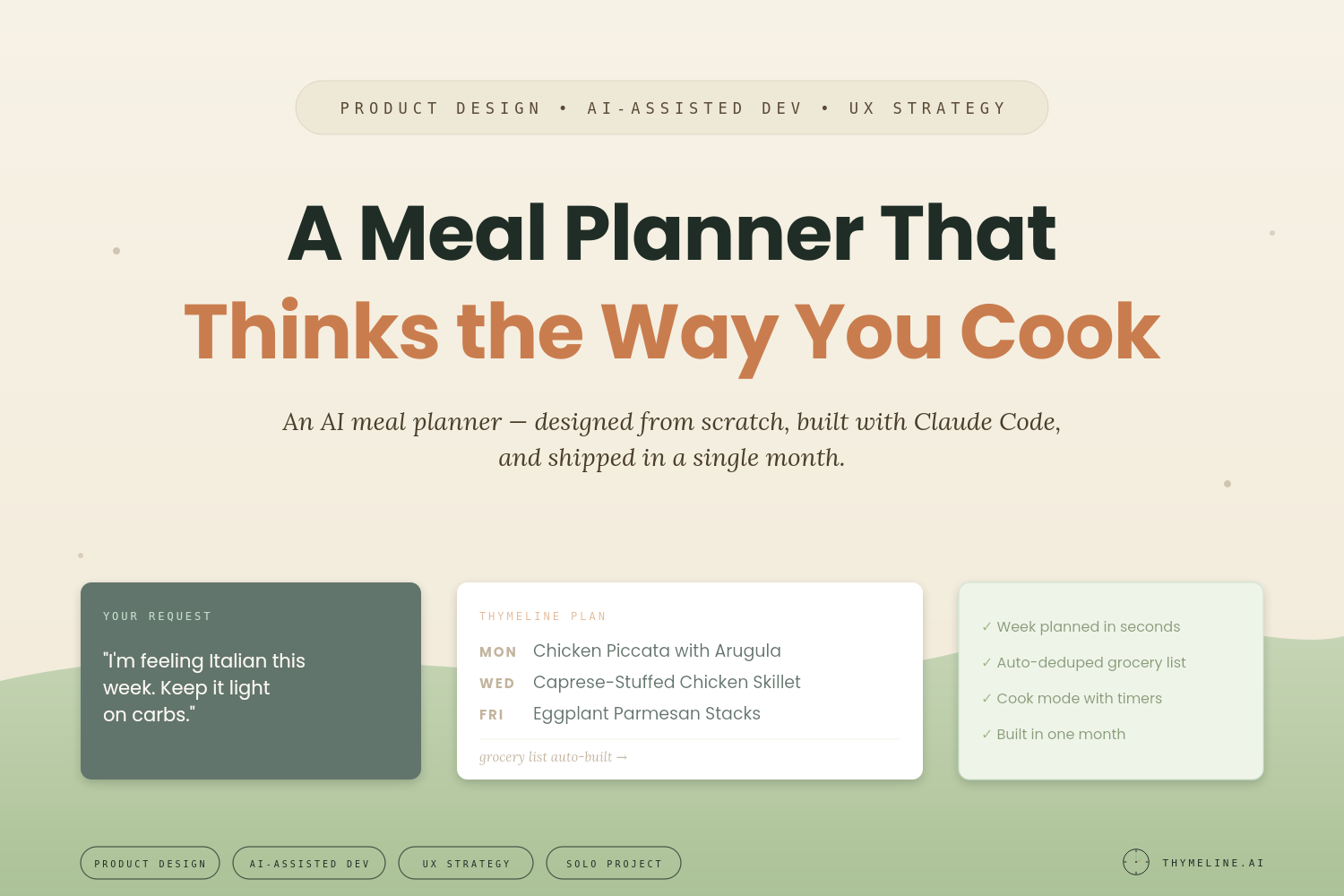
As a solo designer using Claude Code, I designed and built Thymeline, an AI-powered meal planning app that turns a dreaded weekly chore into something that actually works the way you want it to.
Role
Product designer · prompt architect · design-system owner · UX quality gate
Timeline
Concept to production in ~30 days · Iterating and evolving for 6+ months
Approach
Solo designer + Claude Code
Stack shipped
Next.js · TypeScript · Drizzle (Postgres) · Anthropic API · deployed on Railway · household auth via Google OAuth
Live at
The Challenge
Meal planning is one of those tasks that sounds simple but eats up real time every week. Browsing recipes and cross-referencing what you've recently made takes up valuable mental space while you try to convince yourself that this is what you want to eat this week. Then there's the grocery list, sorting through each recipe and figuring out the ingredient overlap.
Most meal planning apps treat this like a scheduling problem, but to me, it should be a seamless conversation where the app understands your preferences, remembers what you've cooked, and helps you think through the week the way you actually do in your head.
The Opportunity
If I could combine a well-organized recipe box with AI that actually understands how someone plans meals, respecting seasonal ingredients, recently made recipes, what ingredients could go to waste, and even free-text requests like "I'm feeling Italian this week," I could build a tool that gives back hours every week and bring the joy back into meal planning.
The Approach
I designed Thymeline from the user experience first, dreaming up detailed feature capabilities, then partnering with Claude Code to bring each feature to life.
Start With the Brief, Not the Build
For every feature, I described the user story, and worked with Claude to bring my vision to life, ensuring everything was covered in a brief: the UI behavior, edge cases, and test cases. These briefs were design documents from the user's perspective: what does this feel like to use? Where will someone get confused? What should happen when things go wrong?
Design an AI That Plans Like a Person
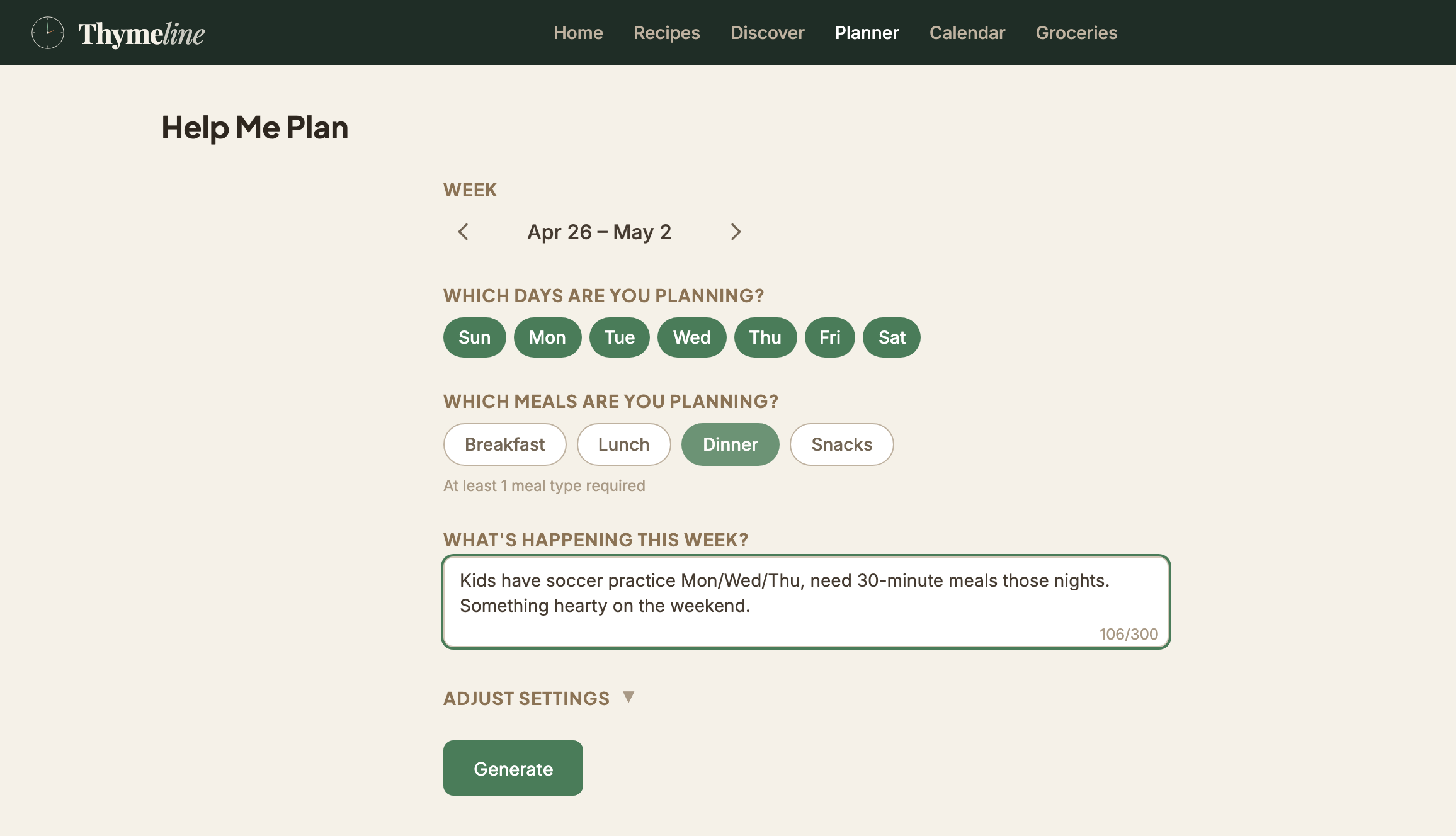
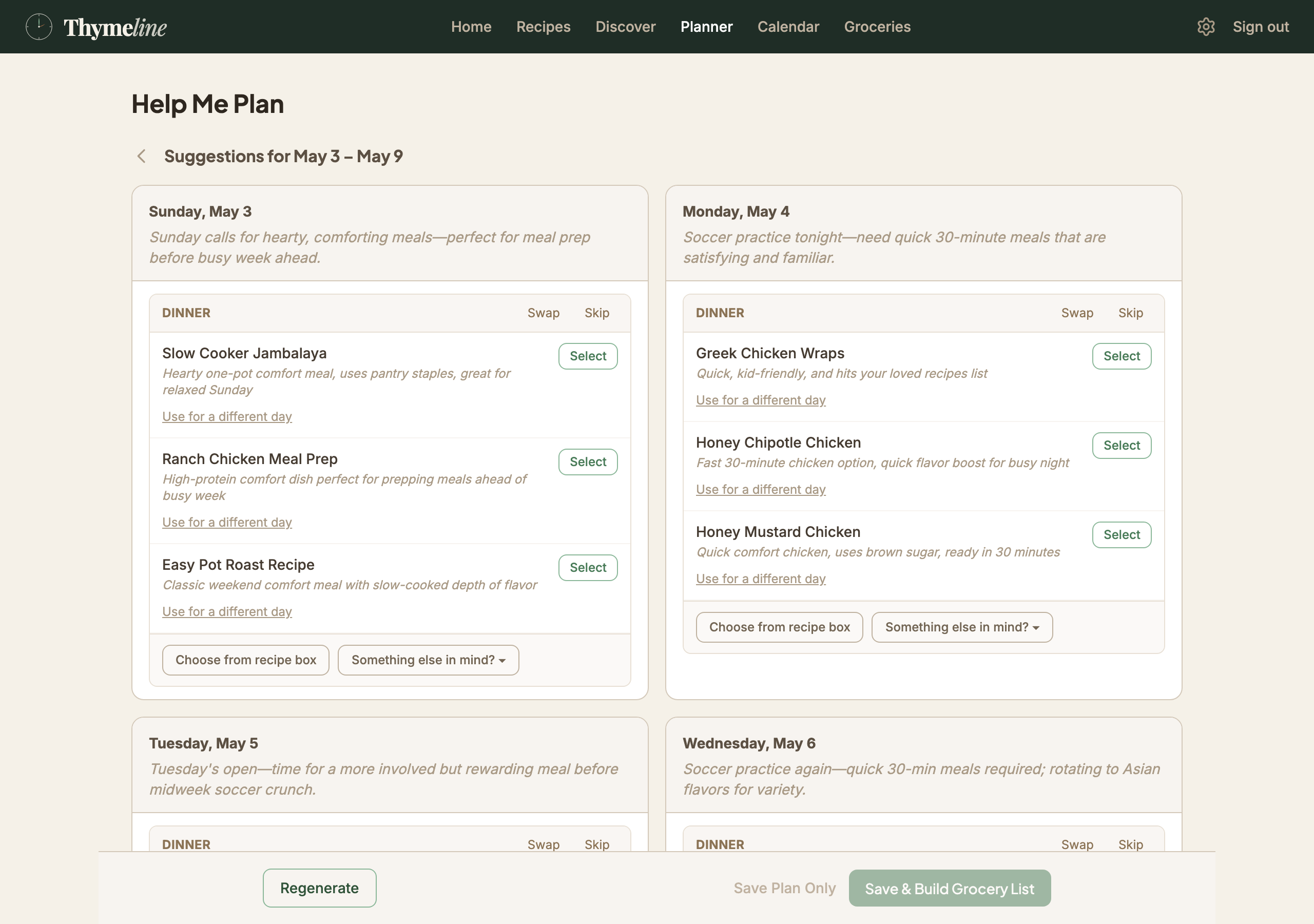
The core of Thymeline is the "Help Me Plan" flow, which is a two-step process where the user sets up their week, gets AI-generated meal suggestions, and confirms their plan. I designed this to feel natural, with the least amount of typing and clicking but still maximum configurability. The setup screen asks friendly questions and simple choices. You can swap, skip, pick from your own recipe box, or type "tacos" and let the AI find the best match.
Behind the scenes, the AI considers your recently made preferences, recipe type caps, seasonal rules, and recent cooking history. It's trained to think like the users, making a meal plan they're sure to love.
Build With Claude Code, Stay in the Design Seat
I used Claude Code as my development partner through a structured workflow: an Architect agent produced technical specs, a Writer agent implemented the code, and a Reviewer agent verified the implementation matched the spec. This let me stay focused on design decisions and user experience while Claude Code handled the engineering execution.
While Claude wrote the code and guided me through deployment, I tested every flow and continued to ask for edits when features didn't initially work as I expected them to: for example, grocery list deduplication logic, tag taxonomy refinements, and cook mode timer behavior. I spent weeks in the loop with Claude, iterating on edge cases and polishing the small behaviors that make the app feel considered.
Selected Design Decisions
The features that make Thymeline work are the small decisions that stack up. A few worth calling out:
Preference caps
Decision: Let users cap categories weekly ("no more than 2 comfort meals").
Why: Most planning tools force binary tags, but most people want nuance.
How it shipped: weekly_tag_caps: { [tag]: number } in preferences, factored into the planner's scoring pass.
Grocery deduplication
Decision: Merge "2 cloves garlic" and "3 cloves garlic, minced" into one line.
Why: At the store, you need to know how much to buy, not necessarily the format.
How it shipped: Tokenized ingredient parser + quantity merger that respects prep-note descriptors.
What I Built
Thymeline is a full-featured web app with real depth behind the clean interface:
Recipe Box
Import recipes from URLs or JSONs, filter by tags, search with AI, edit with natural language.
Smart Planning
AI suggestions based on your preferences, history, and what's in season. Swap, skip, or pick your own.
Grocery Lists
Auto-generated from your plan, deduplicated, organized by store section, shareable to List apps.
Cook Mode
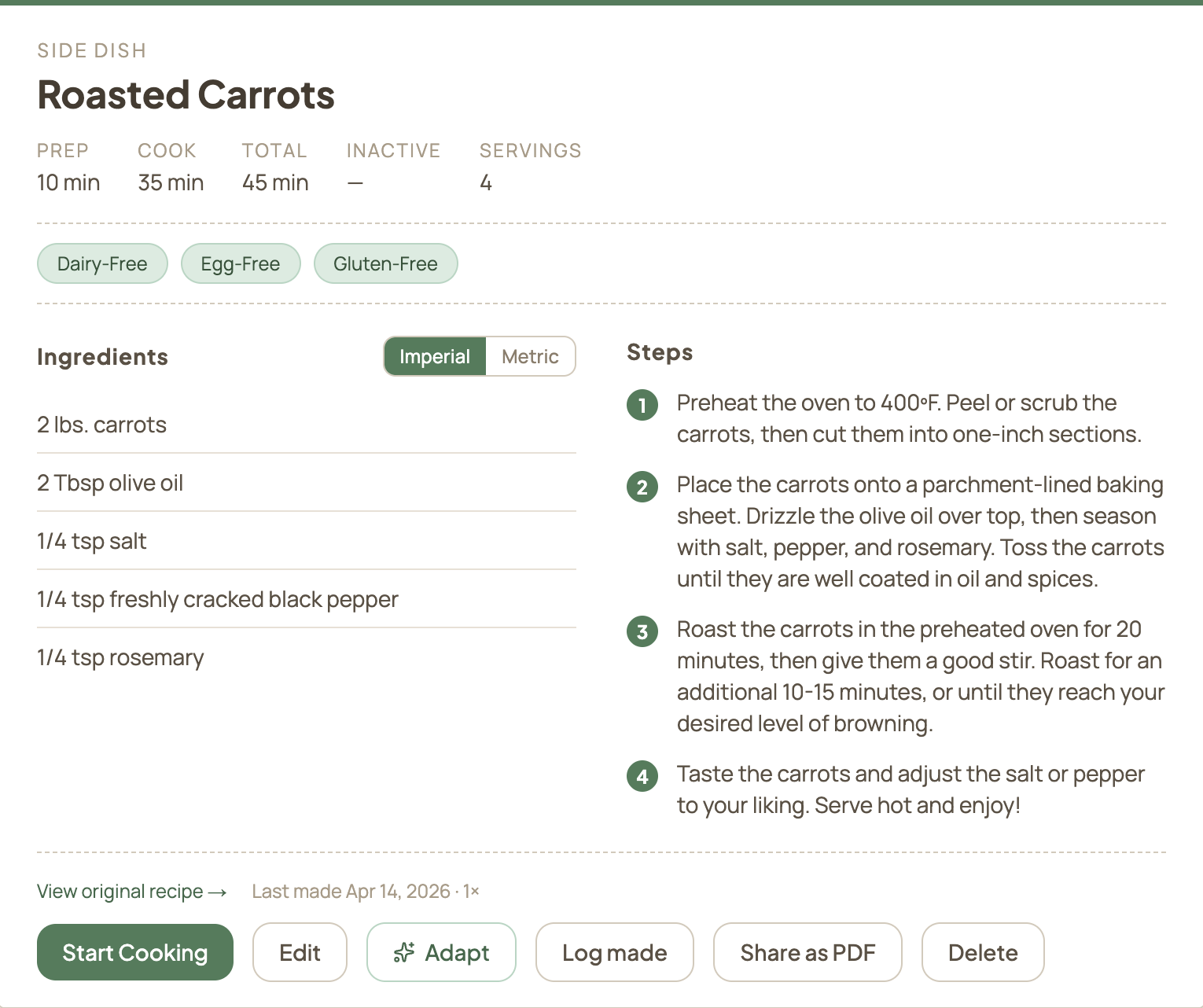
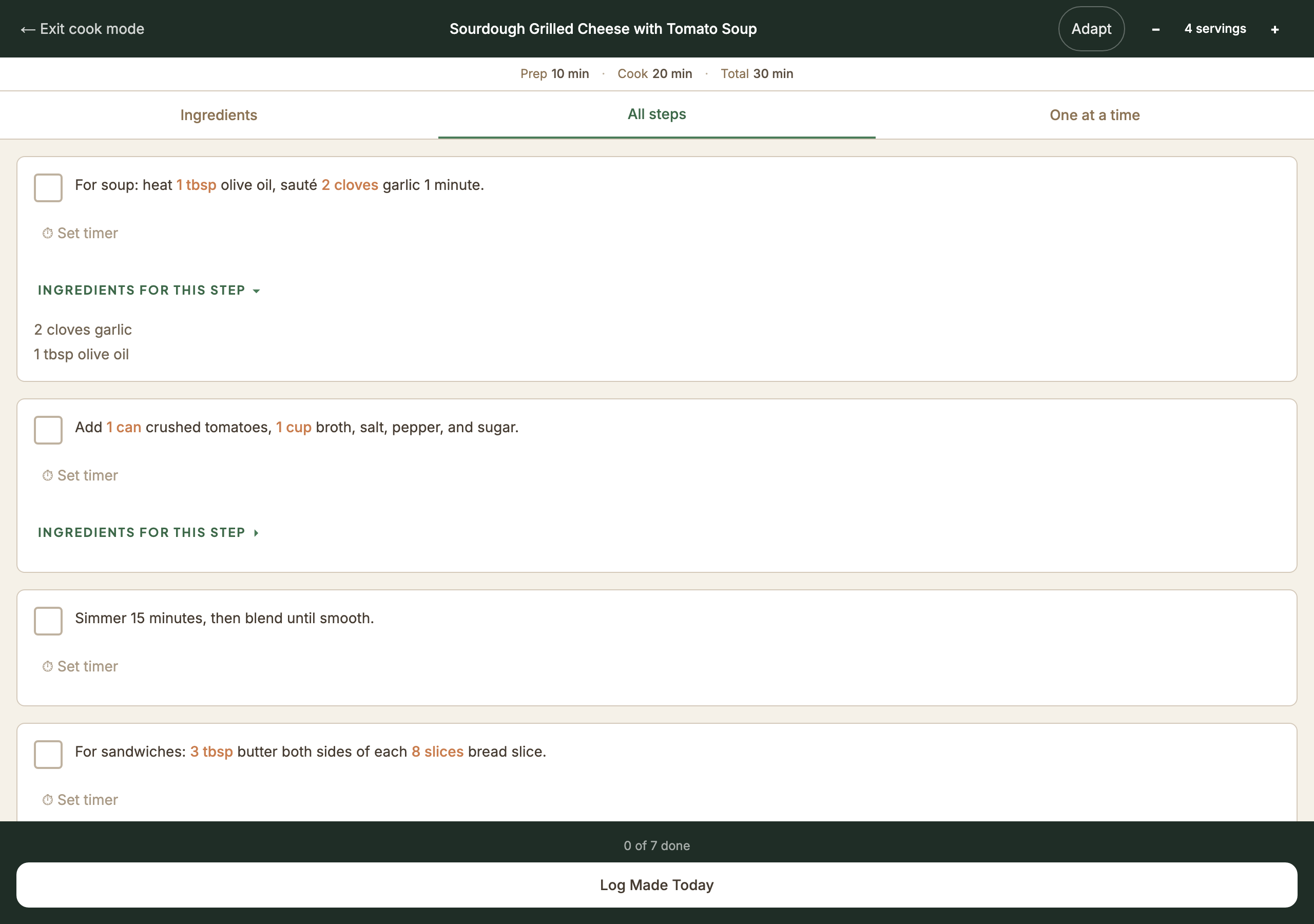
Step-by-step view with timers, ingredient highlighting, and servings scaling.
Discover
Find new recipes and save them directly to your box with one tap.
Household Sharing
Share your recipe box and plans with your household so everyone stays on the same page.
The Result
Thymeline shipped in about 30 days from first brief to production. Six months on, it's a full-featured web app that real families use every week, from smart planner and cook mode to household sharing and grocery list creation.
Building Thymeline taught me that AI-coded workflows don't remove the designer, but they do change what the designer does. I stopped spending time on how (implementation) and started spending it on what (specification) and why (user reality).
The result is design at a pace that used to require a team, without sacrificing the specificity that makes a design work.
Working across brief authoring, prompt architecture, and quality gating is what I bring to product teams.